
Monitor data and models
How to connect a model's data to SUPERWISE and monitor it
Get started quickly with our data monitoring setup by using this simple guide. The guide will walk you through the process of connecting your ML model's data to SUPERWISE® and show you how to monitor it.
Creating a monitoring policy can be done using the SUPERWISE® UI console or using REST APIs or SDK.
Using the UI:
Step 1: Create a dataset
The first stage in monitoring your data is to create a dataset. A dataset is where your data will be stored and analyzed. Learn more in Create dataset and connect it to a source.
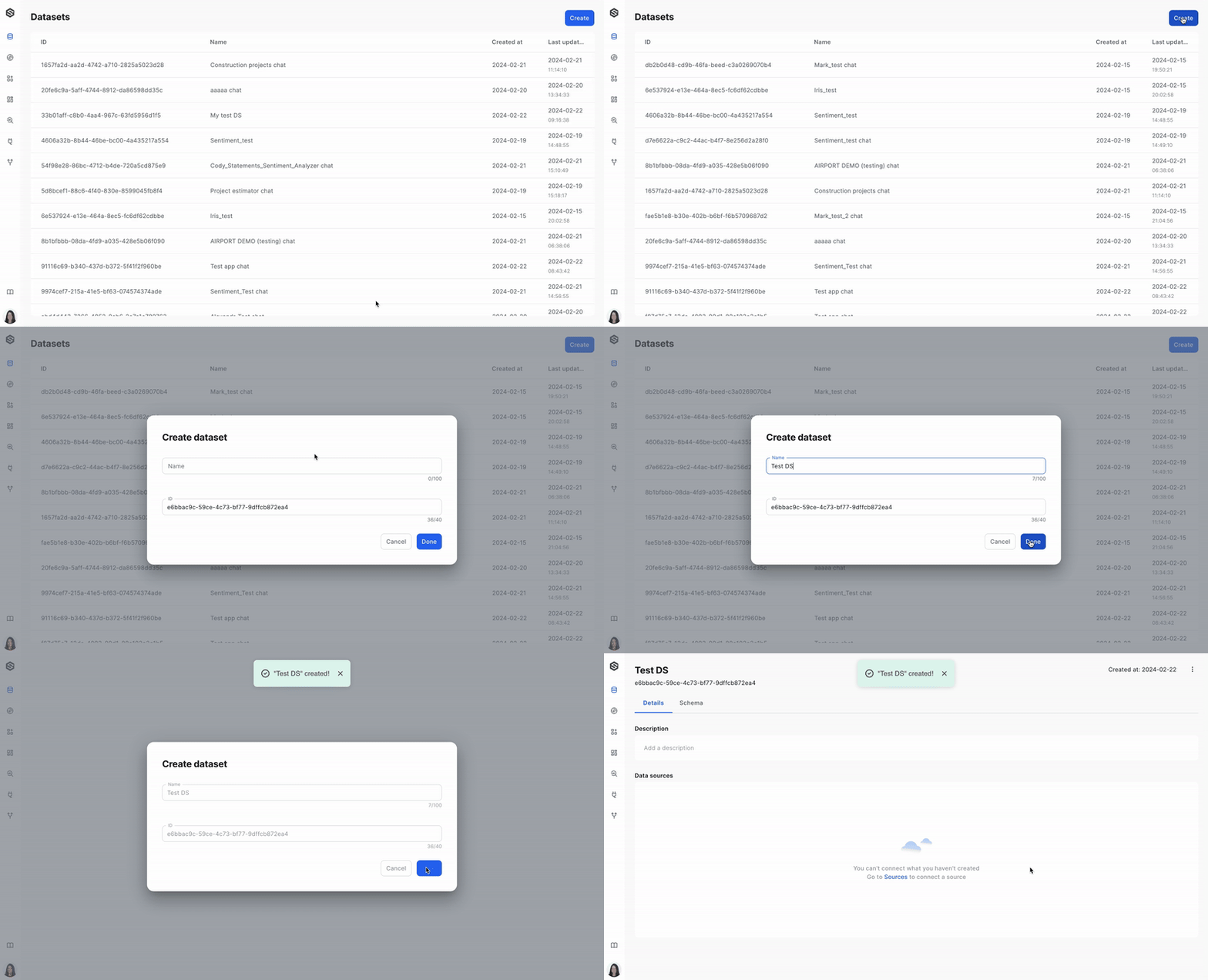
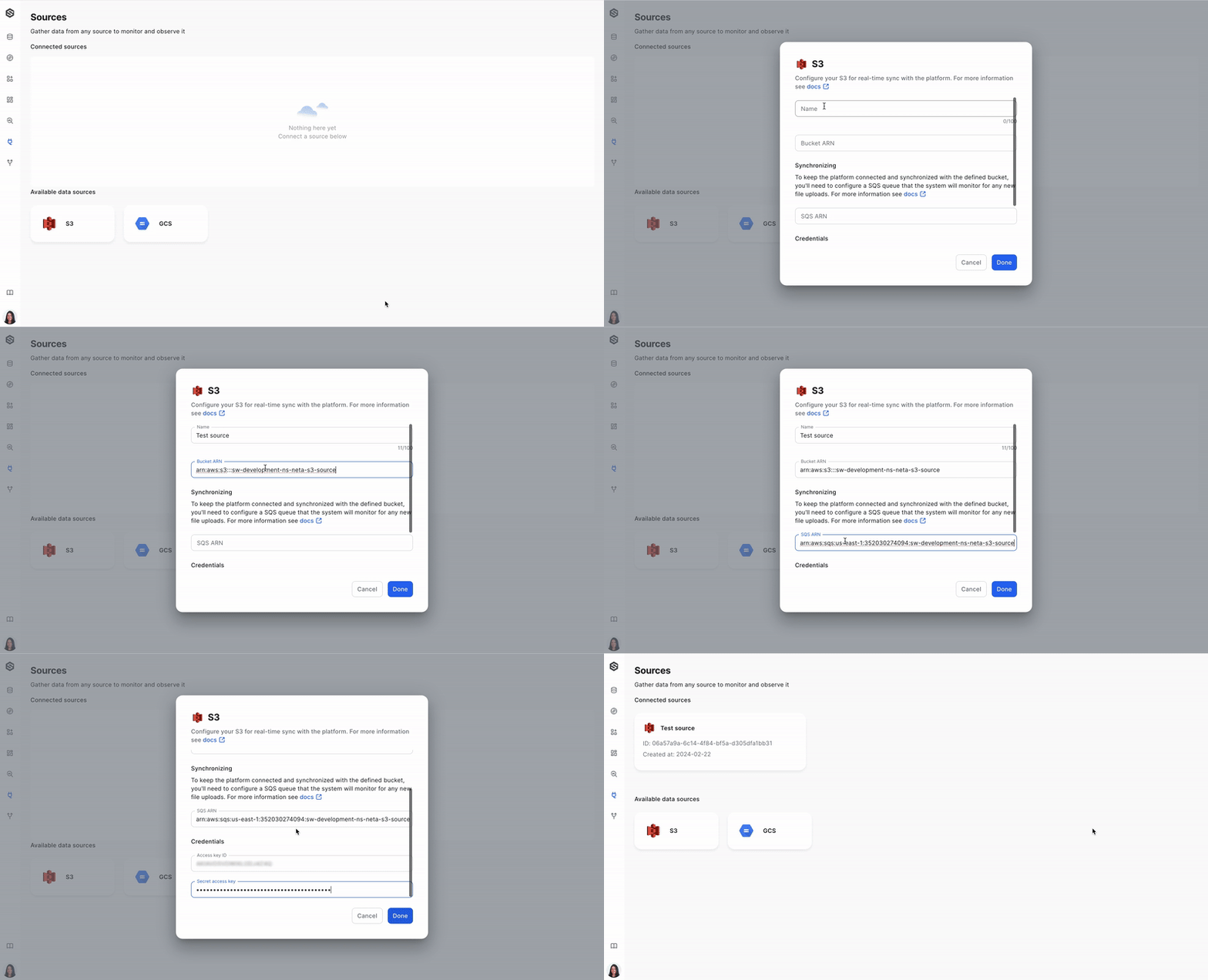
Step 2: Create a source (Ex. S3)
After you have your dataset, it's time to create a source from which you will be collecting data. Learn more in Connect new source.
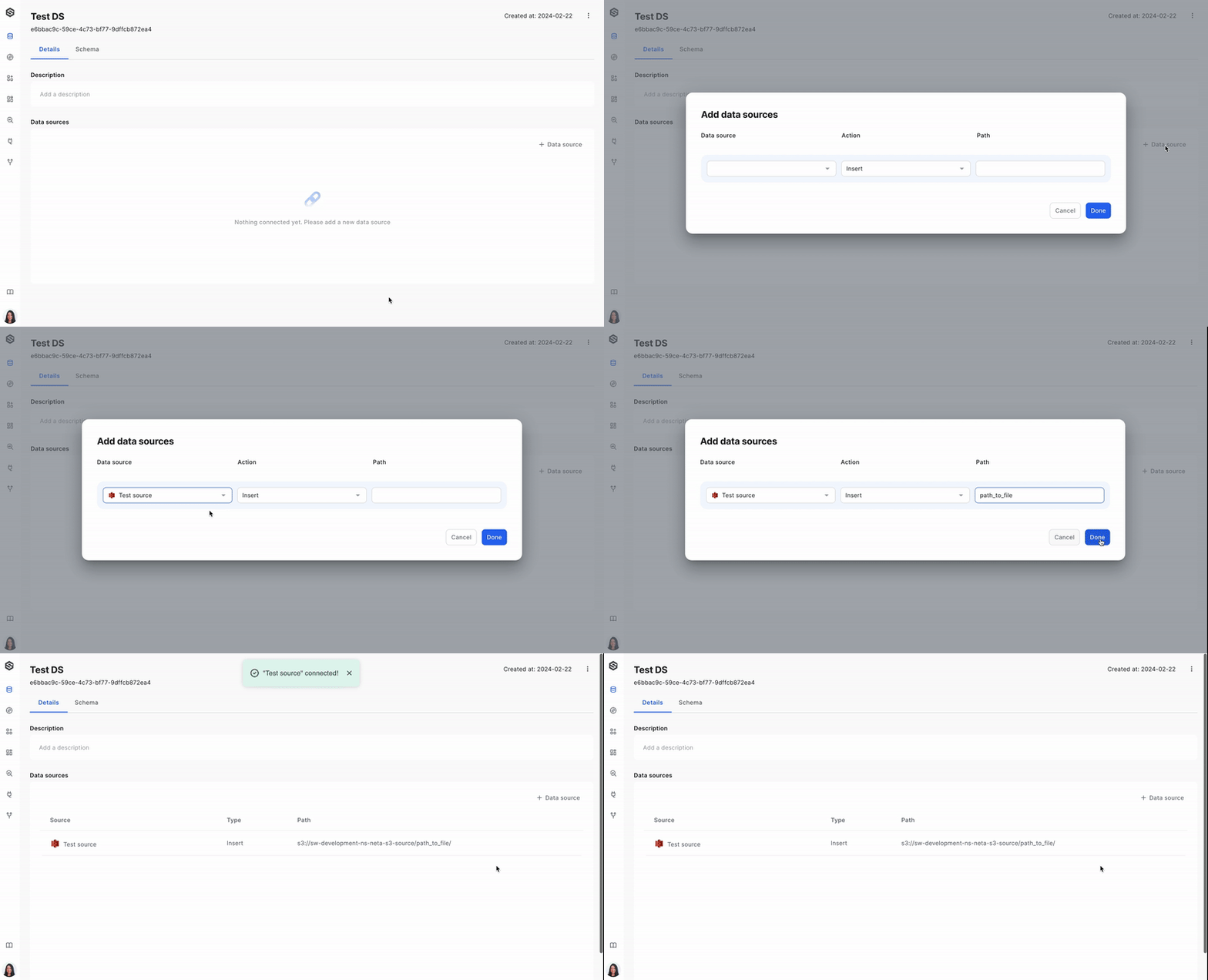
Step 3: Connect a source to a dataset
Once the source is ready, you will want to link it to your dataset so that data ingress is established. Learn more about connecting the source to a dataset.
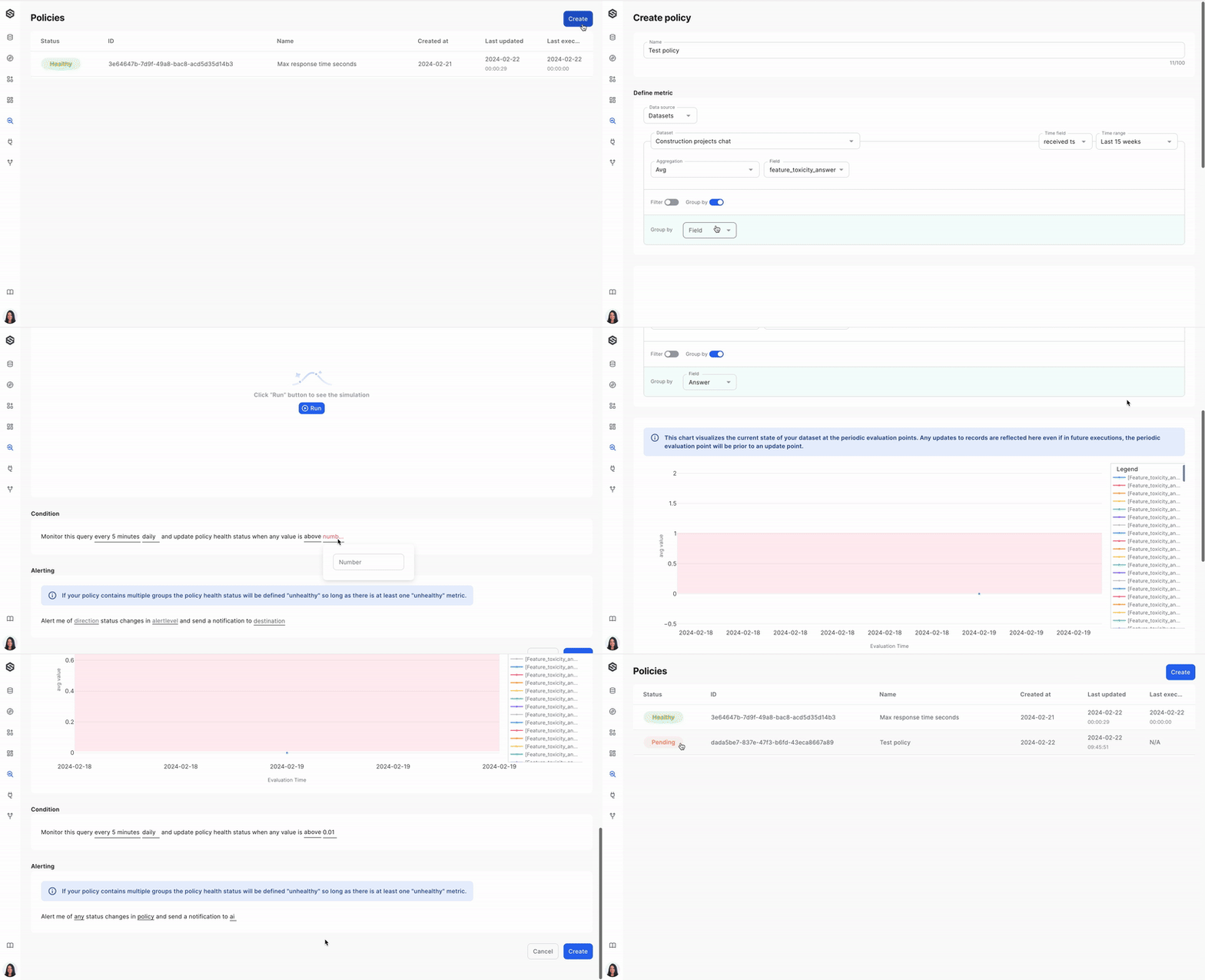
Step 4: Create a policy
Define a monitoring policy that will be applied to your data. This policy sets the rules and conditions for data quality and anomaly detection. Learn more in Create a monitoring policy.
Using the SDK:
Step 1: Create a dataset
The first stage in monitoring your data is to create a dataset. A dataset is where your data will be stored and analyzed.
dataset = sw.dataset.create(name="my dataset")Step 2: Create a source (Ex. S3)
After you have your dataset, it's time to create a source from which you will be collecting data.
source = sw.source.create_s3_source(name="my source",
                                    bucket_arn="arn:aws:s3:::my-bucket-arn",
                                    queue_arn="arn:aws:sqs:my-queue-arn",
                                    aws_access_key_id="access_key",
                                    aws_secret_access_key="secret_key")
Step 3: Connect a source to a dataset
Once the source is ready, you will want to link it to your dataset so that data ingress is established.
from superwise_api.models.dataset_source.dataset_source import IngestType

dataset_source = sw.dataset_source.create(dataset_id=dataset.id, source_id=source.id, folder="source folder name", ingest_type=IngestType.INSERT)
Step 4: Create a policy
Define a monitoring policy that will be applied to your data. This policy sets the rules and conditions for data quality and anomaly detection.
Read more in Create a monitoring policy
from superwise_api.models.policy.policy import StaticThresholdSettings
from superwise_api.models.policy.policy import DataConfigStatistics
from superwise_api.models.policy.policy import TimeRangeConfig

ds = sw.dataset.get_by_id(dataset.id)

sw.policy.create(name=STATIC_POLICY_NAME,
        dataset_id=ds.id,
        data_config=DataConfigStatistics(
            query= {"measures": [f"{ds.internal_id}.avgColumn_name"]},
            time_range_config=TimeRangeConfig(
                field_name="received ts",
                unit="HOUR",
                value=2
            )
        ),
        cron_expression= "2 */1 * * *",
        threshold_settings = StaticThresholdSettings(
        	condition_above_value= 3.0,
        	condition_below_value= None,
        ),
        alert_on_status= "HEALTHY_TO_UNHEALTHY",
        alert_on_policy_level= True,
        destination_ids= [],
        initialize_with_historic_data=True
        )
Pay attention!For any given aggregation operation, the resultant column name should be a concatenation of the dataset's internal ID, followed by the aggregation function name in lowercase and the original column name with the first letter capitalized. For example, if the aggregation function is 'avg' and the column name is 'column', the resulting name should be formatted as follows: {dataset.internal_id}.avgColumn. Ensure that there are no spaces in the concatenated name, and it adheres to the CamelCase convention after the first period.
Ready to dive in?Check out our SDK documentation to explore everything that you can achieve with SUPERWISE®.
Updated 13 days ago