
Improve agent performance
How to write prompts that get better answers from your agent
Prompt engineering guidelines
Prompt engineering is key for useful interactions with Language Learning Models (LLMs). It involves creativity, technical knowledge, and strategic planning. Here are some best practices by our experts to get precise and insightful responses from your LLM agents.
Define the persona
Outline the LLM's role and behavior. A clear role description can detail expertise, vernacular, tone, and style.
Explain the task
Assign a specific task to the LLM, usually a high-level overview of the inputs and outputs.
Specify output preferences
Describe the desired output. If your prompt is part of an AI workflow, an output template can prevent unexpected changes.
Additional considerations
- Guide the LLM on what the output should contain, not what it shouldn't.
- Encourage friendly prompting, not excessive flattery.
- If there's a conflict between user and system guidelines, the system usually takes precedence.
Prompt engineering isn't a "fail-fast" or "plug-and-play" process. Following these principles can improve performance and assist in developing better prompts for your LLM agents.
Watch the SUPERWISE® webinar on LLM prompt engineering methods. For a great comprehensive guide to prompt engineering, please visit this site.
Debugging the agent
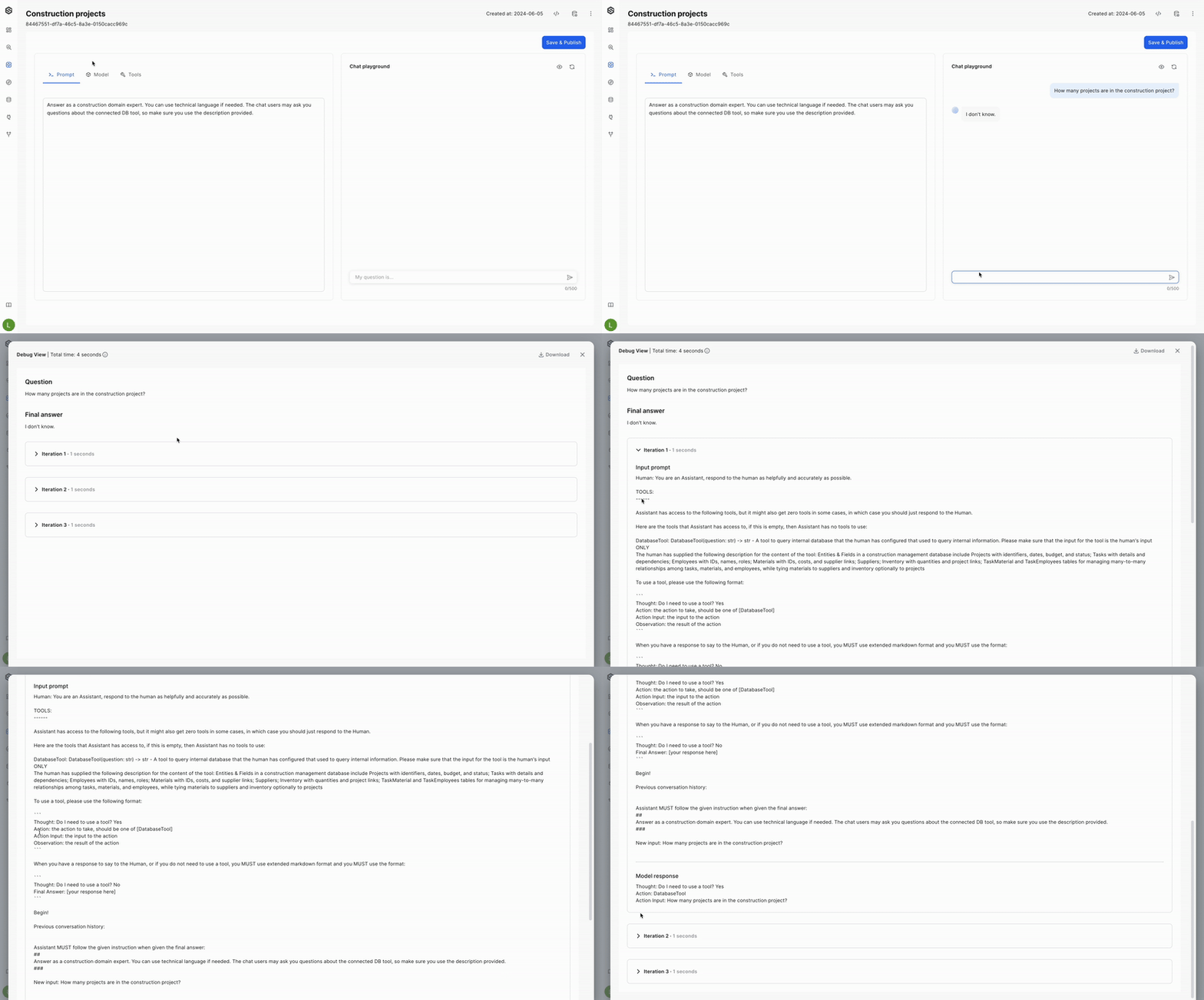
SUPERWISE® now enables you to trace the model’s thought process. This allows you to better understand and improve the app configuration and model settings, ensuring greater relevance and accuracy for its tasks. By gaining insights into how the model makes decisions, you can identify potential areas for optimization and refinement. This enhanced visibility into the model's reasoning steps not only aids in troubleshooting but also helps in fine-tuning the prompt to better align with your specific use cases and performance goals. As a result, you can achieve a more robust and efficient agent that meets your end-user's needs more effectively.
Pay attention!This option is available only in the playground mode.
- In the agent playground, ask the model a question and wait for its response.
- Hover over the response and click the debug icon that appears.
Updated 12 days ago