
Deploy with Docker
How to run a Sentinel gateway as a single Docker container on any host, register its URL, and verify it
To deploy SUPERWISE® Sentinel with Docker, run the Sentinel gateway image with docker run, passing the Sentinel ID and your SUPERWISE API client ID and secret as environment variables. This suits a stand-alone machine, testing, or an isolated server; the same container runs on any Docker-based platform.
Before you start
- Complete Before you deploy: create the Sentinel, and have
SENTINEL_ID,SW_CLIENT_ID, andSW_CLIENT_SECRETin your shell. - Docker on the host.
Run the container
The Sentinel image is published for linux/amd64. The --platform linux/amd64 flag is required on Apple Silicon Macs (M1/M2/M3) and is harmless on native amd64 hosts.
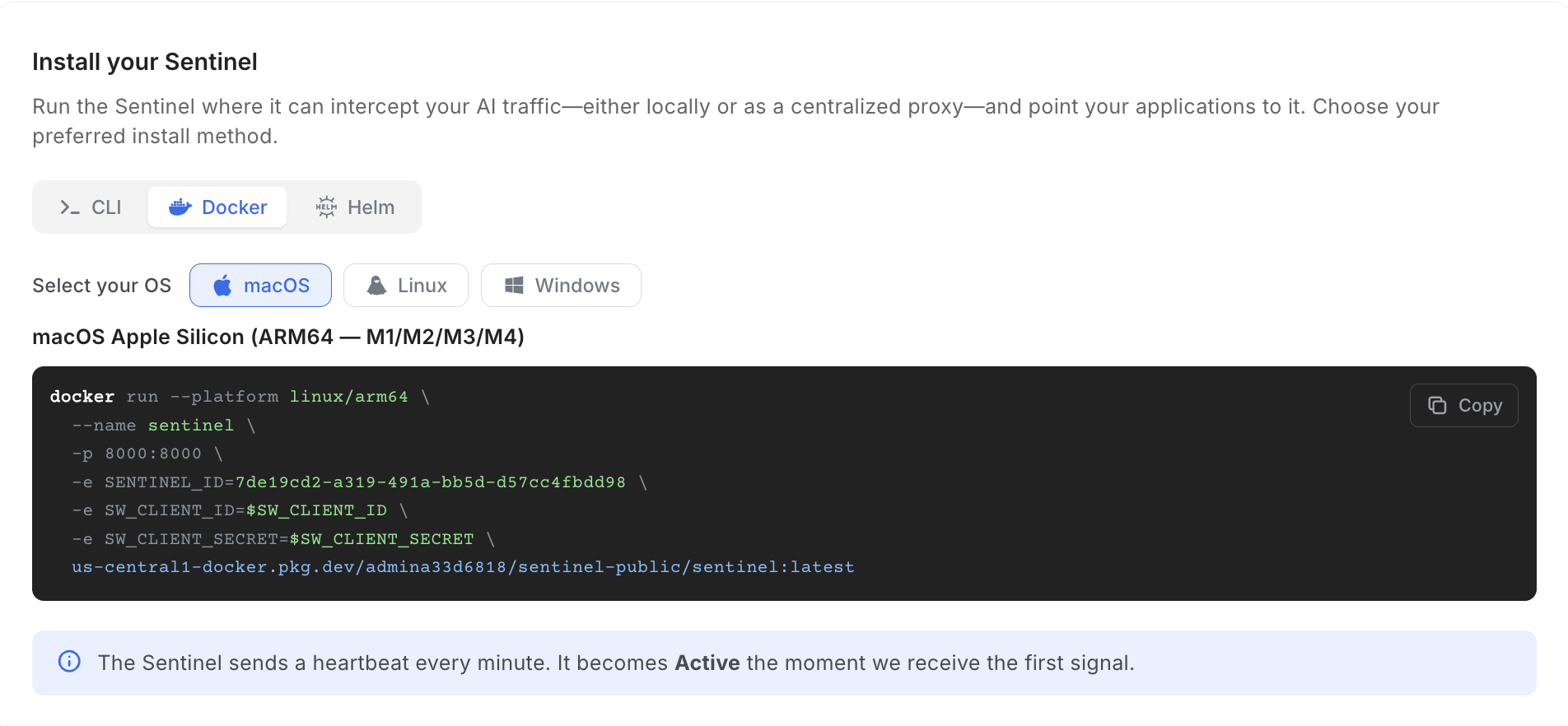
docker run --platform linux/amd64 \
  --name sentinel \
  -p 8000:8000 \
  -e SENTINEL_ID=$SENTINEL_ID \
  -e SW_CLIENT_ID=$SW_CLIENT_ID \
  -e SW_CLIENT_SECRET=$SW_CLIENT_SECRET \
  us-central1-docker.pkg.dev/admina33d6818/sentinel-public/sentinel:latest
docker run --platform linux/amd64 `
--name sentinel `
-p 8000:8000 `
-e SENTINEL_ID=$env:SENTINEL_ID `
-e SW_CLIENT_ID=$env:SW_CLIENT_ID `
-e SW_CLIENT_SECRET=$env:SW_CLIENT_SECRET `
us-central1-docker.pkg.dev/admina33d6818/sentinel-public/sentinel:latestThe SUPERWISE app gives the same command with your Sentinel ID filled in: under Install your Sentinel, choose Docker and your operating system.
Register the URL
If anyone else will connect to this gateway, add -e SENTINEL_EXTERNAL_HOST=https://sentinel.yourcompany.com with the address they reach it on. Left unset, the gateway registers its local IPv4 as http://<ip>, which is fine for local testing only. See How do callers reach the gateway?.
To proxy a self-hosted or OpenAI-compatible model through the same container, add CUSTOM_PROVIDERS. See Custom providers.
Verify the gateway
The Sentinel turns Active in the SUPERWISE app within about a minute. First check that the container is serving. /healthz answers 200 OK:
curl -i http://localhost:8000/healthzHTTP/1.1 200 OK
...
{"status":"ok"}/healthz shows only that the gateway is up. Then confirm a guardrail fires with POST /test, as described in Verify the gateway, using http://localhost:8000 as the gateway URL on the host itself.
Update or remove it
To run a newer image, pull it, then remove the container and run the same docker run command again:
docker pull --platform linux/amd64 us-central1-docker.pkg.dev/admina33d6818/sentinel-public/sentinel:latest
docker rm -f sentinel
To remove the gateway, run docker rm -f sentinel. The Sentinel's configuration stays in the SUPERWISE app.
Common errors
The image will not run on an Apple Silicon Mac
The image is published for linux/amd64 only. Add --platform linux/amd64 to docker run and docker pull.
The Connect snippets point at an address nobody can reach
SENTINEL_EXTERNAL_HOST is unset, so the gateway registered its internal address as http://<ip>. Run the container again with -e SENTINEL_EXTERNAL_HOST=<the address others reach it on>. See Register the URL.
http://localhost:8000/ returns 404
http://localhost:8000/ returns 404That is expected. The gateway answers /healthz and the provider paths, and returns 404 on /.
Get Sentinel: Create a free SUPERWISE account.
See also
- Deploy a gateway: every way to deploy, and what a team gateway needs on any platform.
- Install on macOS and Linux (CLI): the CLI starts and stops this container for you.
- Deploy with Helm on Kubernetes, AWS, Google Cloud, and Azure.
- Gateway reference: environment variables, routes, and states.
Updated 20 days ago