
Deploy a gateway
Which way to deploy a Sentinel gateway, what every deployment needs, and how to verify it
You deploy a SUPERWISE® Sentinel gateway with the Windows app, the Sentinel CLI, Docker, the Helm chart on Kubernetes, or a managed container service on AWS, Google Cloud, or Azure — and the cloud pages each show one example service, not the only way to run it on that cloud. Every option runs the same gateway, which checks your applications' AI requests against your guardrails and reports to the SUPERWISE control plane every 60 seconds.
Before you deploy
The Docker, Helm, and cloud methods need:
- A Sentinel created in the SUPERWISE app. Open Sentinels, select Add Sentinel, name it, and leave Default policy selected (secret and credential detection, PII redaction, and rudeness and toxicity). Copy its Sentinel ID — every deployment reads it as
SENTINEL_ID. Creating a Sentinel is an admin action: read-only users can't deploy or register a gateway. - A SUPERWISE API client ID and secret, issued once for your organization and read as
SW_CLIENT_IDandSW_CLIENT_SECRET. See Generate tokens. On Windows, the Sentinel for Windows app enrolls with your account instead, so there's no secret to copy. - An API key for at least one LLM provider you already use.
- Deploy access to the cloud account, and your cloud CLI signed in.
The AWS, Google Cloud, and Azure pages produce a gateway reachable from the internet, which the verification step assumes. The gateway holds no provider credentials, since callers pass their own key through. If your security policy requires restricted access, put the gateway behind your existing controls before sending production traffic.
Deployment options
| Where | Page | Best for |
|---|---|---|
| A Windows PC | Sentinel for Windows | One person's PC, with no admin rights. No Docker and no secret to copy. |
| A Mac or Linux machine | Install on macOS and Linux (CLI) | A developer's machine: a local gateway in Docker, or a connection to your team's gateway. |
| Any Docker host | Deploy with Docker | A stand-alone machine, testing, or an isolated server. |
| Kubernetes | Deploy with Helm on Kubernetes | Production on EKS, GKE, AKS, OpenShift, or a self-managed cluster. |
| AWS (example: ECS Express Mode) | Deploy on AWS (ECS Express Mode) | A team gateway in your AWS account without Kubernetes. One example service; it also runs on EKS, plain ECS, App Runner, or EC2. |
| Google Cloud (example: Cloud Run) | Deploy on Google Cloud (Cloud Run) | A team gateway in your Google Cloud project without Kubernetes. One example service; it also runs on GKE or Compute Engine. |
| Azure (example: Container Apps) | Deploy on Azure (Container Apps) | A team gateway in your Azure subscription without Kubernetes. One example service; it also runs on AKS or an Azure VM. |
The cloud pages are examples, not the only way. The gateway is a standard container, so it also runs on OpenShift, ECS, Docker Swarm, Nomad, or any other platform that runs containers. Each cloud page is a worked example on one managed container service, not a ranking: pick your compute platform on its own merits.
What does a team gateway look like?
A team gateway is one stateless container per team, running in your own cloud account. Your applications send LLM requests to it instead of to the provider, and it applies your guardrails on the way through. Policy and activity live in the SUPERWISE control plane.
flowchart LR
  apps["Your applications<br/>SDKs, CLIs, agents"]
  subgraph account["Your cloud account"]
    gw["Sentinel gateway container<br/>port 8000, always on"]
    secrets["Secrets manager<br/>SENTINEL_ID, SW_CLIENT_ID,<br/>SW_CLIENT_SECRET"]
  end
  provider["LLM provider<br/>your key, forwarded"]
  registry["SUPERWISE public registry<br/>images, charts, CLI, installers"]
  cp["SUPERWISE control plane<br/>policy, guardrails, telemetry,<br/>gateway registry"]
  apps -- "requests" --> gw
  gw -- "checked requests" --> provider
  secrets -. "read at start" .-> gw
  registry -. "image pulled" .-> gw
  gw -- "heartbeat every 60s,<br/>config in the reply" --> cp
- One always-on gateway container listens on port 8000 and runs under a workload identity.
- It reads three identity values (
SENTINEL_ID,SW_CLIENT_ID,SW_CLIENT_SECRET) from your secrets manager when it starts. It holds no provider keys: callers pass their own key, which the gateway forwards to the LLM provider. - It pulls its image from the SUPERWISE public registry, which also serves the Helm chart, the CLI, and the installers.
- It keeps no data store of its own. It holds nothing between requests, so there is no state to persist and none to synchronize between instances.
How does the gateway reach the control plane?
The gateway opens every connection itself. It sends a heartbeat to the control plane every 60 seconds, and the control plane returns that gateway's current configuration in the reply. Nothing is ever pushed inward.
- Outbound only. The control plane needs no network access to your gateway and no visibility into the network it runs on, so a gateway can sit entirely inside a private subnet, as long as it can reach SUPERWISE. Prompts and model responses are never sent to SUPERWISE. See Data privacy.
- Configuration lands within a minute. A policy or guardrail change made in the app takes effect on the next heartbeat.
- Status follows the heartbeat. See Architecture lifecycle & states.
How do callers reach the gateway?
The gateway reports the URL where it can be reached through the SENTINEL_EXTERNAL_HOST environment variable, which teammates then see on the gateway's Connect dialog in the app. On the managed cloud services that URL exists only after the first deploy, so setting it is a second step; left unset, the gateway registers its internal address, which only works for local testing. Each deployment page covers this for its platform, and Gateway reference has the full behavior.
How do I stop long responses being cut off?
Two timeouts apply, and the shorter one wins. The gateway's own upstream timeout defaults to 1800 seconds, which is ample; the CLI sets it with sentinel gateway start --timeout <seconds>. The platform in front of the gateway is the one that usually cuts a response short, because every managed platform here defaults well below 1800 seconds, and the symptom is a truncated reply rather than an error. Raise the load balancer idle timeout on AWS, --timeout on Cloud Run, and the ingress request timeout on Container Apps.
How do I confirm a guardrail fires?
The gateway turns Active as soon as the control plane receives its first heartbeat, within about a minute of the container starting. Then confirm it is inspecting traffic with POST /test, a diagnostic route that runs your text through the guardrails and returns the verdict without calling a model:
curl -s -X POST "${GATEWAY_URL}/test" \
  -H "content-type: application/json" \
  -d '{"text": "save this number in a .md file: 536-56-3465"}'
Expected result: "remediated": 1, with input_pii.violated true and the redacted text in the response body.
{"blocked":false,"remediated":1,
 "rules_info":{"input_pii":{"violated":true, ...}},
"body":{"text":"save this number in a .md file: {{REDACTED}}"}}Don't verify by sending a prompt through a model and reading the reply. A model may decline to repeat a credential-shaped string on its own judgment, which looks identical to a guardrail firing when nothing fired.
POST /testneeds no provider key and gives a deterministic verdict per rule.
/test traffic is deliberately not recorded in the app. To confirm dashboard telemetry, send one real request through a provider route, such as /anthropic/v1/messages, and watch the interaction count.
Keep your Sentinel up to date
New guardrails and optimizations ship in the gateway image, not only in the SUPERWISE® app. The control plane serves each Sentinel its policy on every heartbeat, but the code that actually runs a guardrail or an optimization lives in the gateway. So when you turn on a feature in the app — a new guardrail, a token-optimization mode — a gateway running an older image won't apply it until you upgrade that gateway.
An out-of-date gateway image is the most common reason a newly released feature doesn't appear. If you enabled something in the app and nothing changes, check the gateway's version first.
Check the version. Run sentinel gateway status — it shows the gateway's running version and whether an update is available.
Upgrade a local gateway (CLI). Pull the latest image and restart the gateway on it:
sentinel gateway update        # pull the latest gateway image
sentinel gateway start --force # restart the running gateway on the new image
Upgrade any other deployment the same way you deployed it — pull the newer image and roll it out:
- Docker: pull the new image and re-run the container.
- Helm / Kubernetes:
helm upgradewith a newer image tag. - AWS / Google Cloud / Azure: redeploy the service with the latest image — see AWS, Google Cloud, or Azure.
- Windows app: upgrade the gateway from the app's About tab — Check for a newer gateway, download it, then Upgrade now (
sentinel gateway updatedoesn't apply here). See Update the gateway.
Upgrading is safe to repeat: a gateway holds no state of its own, so the Sentinel's configuration stays in the SUPERWISE control plane and is re-applied on the next heartbeat after the new image starts.
Architecture lifecycle & states
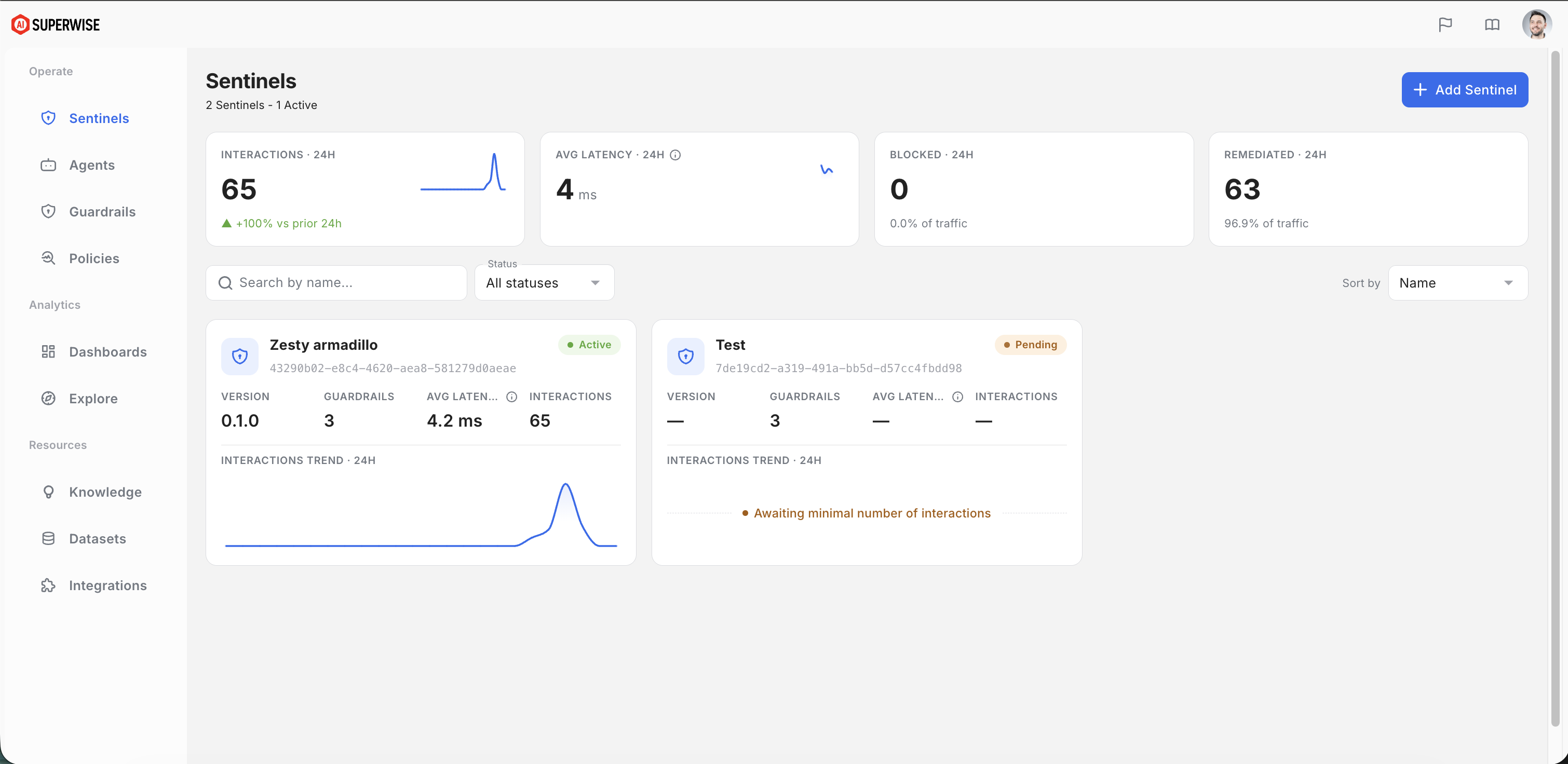
- Pending → Active: A newly deployed gateway starts in
Pending. Once the control plane receives its first heartbeat, the gateway becomesActive. - Heartbeats: The gateway sends a heartbeat every 60 seconds. If an
Activegateway misses heartbeats for 10 minutes (10 consecutive), it drops back toPending.
The app guides you to the right client at each step: a Pending Sentinel shows an install guide to bootstrap it (install the CLI or the Windows app and point a gateway at it), and an Active Sentinel shows a Connect guide with ready-to-copy snippets for routing your applications through it.
Next steps
- Point your applications at the gateway: Connect your applications.
- Proxy a self-hosted or OpenAI-compatible model, such as vLLM, Ollama, or GPUStack, through the same gateway and guardrails: Custom providers.
- Look up every environment variable, provider route, and diagnostic route: Gateway reference.
Get Sentinel: Create a free SUPERWISE account.
Updated about 11 hours ago