
Image tampering detection
How to detect edited or synthetic images
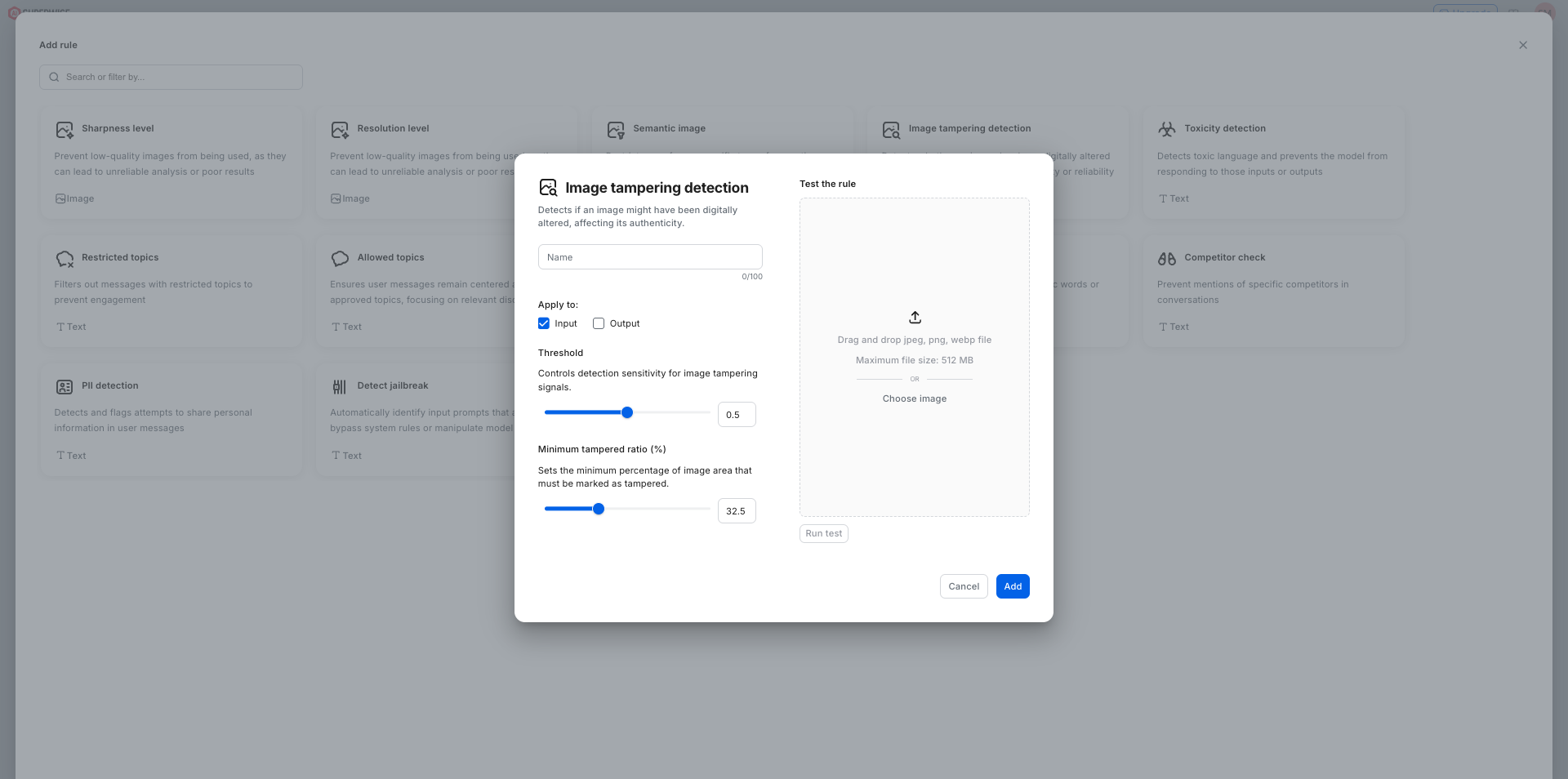
The Image tampering detection guardrail in SUPERWISE® flags images that have been edited, altered, or synthetically modified before an AI agent processes them. It triggers when the share of the image that looks tampered passes the minimum you set.
Use cases: document fraud, insurance claims, identity verification, and forensic review, anywhere an agent has to trust that a photo or scan is genuine.
Two controls tune it. The Threshold slider sets how sensitive the detector is to tampering signals, and the Minimum Tampered Ratio (%) sets the percentage of the image area that must be flagged before the rule triggers. Like other image rules, it has a test panel where you upload sample images to calibrate both values.
Using the SDK
from superwise_api.models.guardrails.guardrails import ImageTamperingGuard

image_tampering_rule = ImageTamperingGuard(name="Image Tampering Guard", tamper_threshold=0.65, min_tamper_ratio_percent=1)
See also
- Semantic image: allow only the image categories you choose.
- AI guardrails on superwise.ai: what SUPERWISE guardrails check, and where they run.
Updated 9 days ago