
Gateway Deployment
Complete walkthrough for deploying containerized security proxies via Docker, CLI, or Helm
The Sentinel gateway is a containerized, lightweight security proxy designed to run closest to your applications.
To deploy a Sentinel Gateway instance, it must register itself back to the SUPERWISE™ Control Plane (SaaS). Consequently, every deployment method requires a valid SUPERWISE™ API Client ID and Secret token to establish a secure link.
Architecture Lifecycle & States
Once deployed, the gateway continuously communicates with the control plane to report its status and fetch policy updates.
-
Heartbeats: Sentinel sends a telemetry heartbeat every 60 seconds back to the SUPERWISE™ SaaS control plane.
-
Pending State: Before the control plane receives its very first heartbeat, the gateway state remains
Pending. If anActiveSentinel fails to report 10 consecutive heartbeats (10 minutes), its state drops back into Pending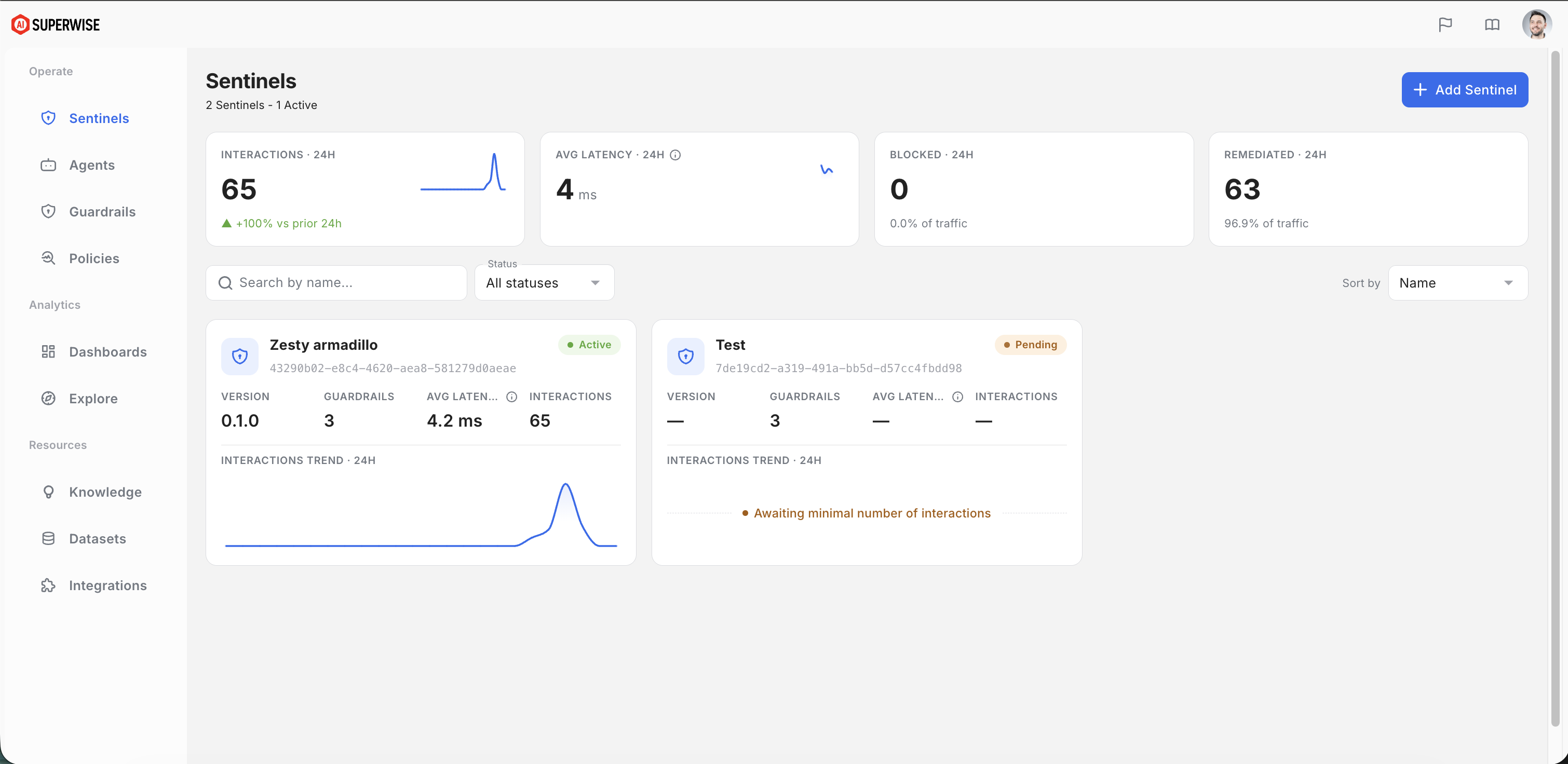
Deployment Options
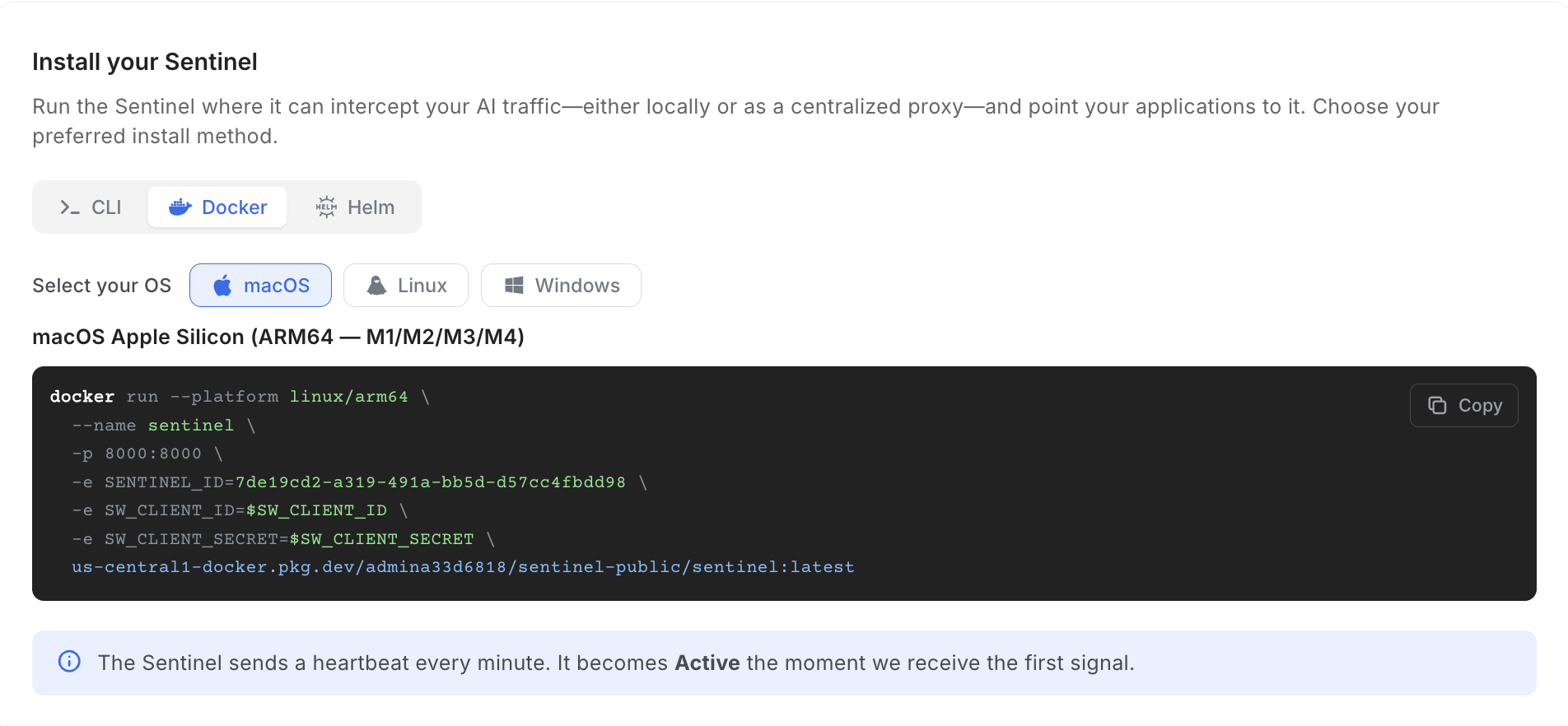
Option 1: Plain Docker
For stand-alone machines, testing, or isolated server instances, you can run Sentinel directly via Docker. Because the underlying image binaries vary, make sure to pick the command corresponding to your target platform hardware architecture (e.g., Linux x86 vs. Apple Silicon).
Docker run
docker run --platform linux/arm64 \
  --name sentinel \
  -p 8000:8000 \
  -e SENTINEL_ID=$SENTINEL_ID \
  -e SW_CLIENT_ID=$SW_CLIENT_ID \
  -e SW_CLIENT_SECRET=$SW_CLIENT_SECRET \
  us-central1-docker.pkg.dev/admina33d6818/sentinel-public/sentinel:latest
docker run --platform linux/amd64 `
--name sentinel `
-p 8000:8000 `
-e SENTINEL_ID=$env:SENTINEL_ID `
-e SW_CLIENT_ID=$env:SW_CLIENT_ID `
-e SW_CLIENT_SECRET=$env:SW_CLIENT_SECRET `
us-central1-docker.pkg.dev/admina33d6818/sentinel-public/sentinel:latestdocker run --platform linux/amd64 \
--name sentinel \
-p 8000:8000 \
-e SENTINEL_ID=$SENTINEL_ID \
-e SW_CLIENT_ID=$SW_CLIENT_ID \
-e SW_CLIENT_SECRET=$SW_CLIENT_SECRET \
us-central1-docker.pkg.dev/admina33d6818/sentinel-public/sentinel:latestOption 2: The Sentinel CLI (Local Deployments Only)
The sentinel command-line tool provides a simplified developer workflow to provision and toggle local gateways only.
To manage your gateway status, use the native start/stop commands:
sentinel gateway start
sentinel gateway stop
State Matching Intelligence
- Explicit Provisioning: When running
sentinel gateway start(or executing a clean quickstart), you can supply a specific--sentinel-idparameter directly to fetch a designated cloud profile configuration. - Smart Fallback: The CLI automatically reads your local state files. If it detects a previously configured profile, it will intelligently prompt or suggest resuming that exact local container configuration instead of creating a new Sentinel.
🛠️ Under the Hood: The CLI manages and persists its tracking state, provider configurations, and assigned gateway parameters locally inside a state file located at:
~/.config/sentinel/config.json.
Option 3: Helm (Production Scale Kubernetes)
For enterprise-grade production environments requiring horizontal scaling, high availability, and native monitoring, SUPERWISE™ provides a managed Helm Chart. This enables seamless provisioning directly inside your existing Kubernetes clusters.
helm upgrade --install sentinel-customers \
  oci://us-central1-docker.pkg.dev/admina33d6818/sentinel-public/sentinel-customers \
  --set global.imageRegistry=us-central1-docker.pkg.dev/admina33d6818/sentinel-public \
  --set gateway-server.image.repository=sentinel \
  --set gateway-server.image.tag=latest \
  --set "gateway-server.env[0].name=SENTINEL_ID,gateway-server.env[0].value=SENTINEL_ID" \
  --set "gateway-server.env[1].name=SW_CLIENT_ID,gateway-server.env[1].value=YOUR_SW_CLIENT_ID" \
  --set "gateway-server.env[2].name=SW_CLIENT_SECRET,gateway-server.env[2].value=YOUR_SW_CLIENT_SECRET"
Supporting Custom Model Providers (OpenAI-Compatible)
If your architecture uses a self-hosted or alternative model provider (such as local LLMs run via Ollama, vLLM, GPUStack, or LM Studio), Sentinel can seamlessly proxy and protect these streams. The gateway supports any provider that exposes an OpenAI-compatible API format.
When a custom provider is configured, Sentinel listens for that specific provider's name in the incoming request path. It automatically assumes the upstream endpoint adheres to the standard OpenAI routing schema (intercepting /v1/chat/completions) and forwards the sanitized payload straight to your designated backend base_url.
To enable this, pass the CUSTOM_PROVIDERS environment variable during container initialization, formatted as a JSON array of objects containing the provider_name and base_url.
Configuration Example
Run the following command to spin up Sentinel with a custom, OpenAI-compatible engine route:
docker run -p 8000:8000 \
  -e SENTINEL_ID=<sentinel-id> \
  -e SW_CLIENT_ID=<client-id> \
  -e SW_CLIENT_SECRET=<client-secret> \
  -e CUSTOM_PROVIDERS='[{"provider_name":"my-custom-model","base_url":"https://my-custom-model-gpustack.ngrok.app"}]' \
  us-central1-docker.pkg.dev/admina33d6818/sentinel-public/sentinel:latest
How it Routes in Practice
Once configured with the example above, you can route your standard OpenAI client requests natively through the Sentinel proxy gateway.
For instance, pointing your client application to http://localhost:8000/my-custom-model will tell Sentinel to apply your active security policies locally before transparently proxying the data directly to https://my-custom-model-gpustack.ngrok.app/v1/chat/completions.